


Your LearnDash course pages, finally designed your way. For free.


Course Page Builder for LearnDash and Divi is fully compatible with both Divi 4 and Divi 5
Overview
Powdi Course Page Builder for LearnDash and Divi gives that control back to you. This free plugin removes LearnDash’s default course-page elements and gives you a clean, full-width page to design with Divi. You decide where the course information, enrollment button, and curriculum go — and how the whole page looks.

What You Can Do with Course Page Builder

Remove LearnDash's Default Layout
The plugin clears the default progress bar, content list, title and sidebar — giving you a blank, full-width canvas to design in Divi.
Place the Course Elements Anywhere (Divi 5 Modules)
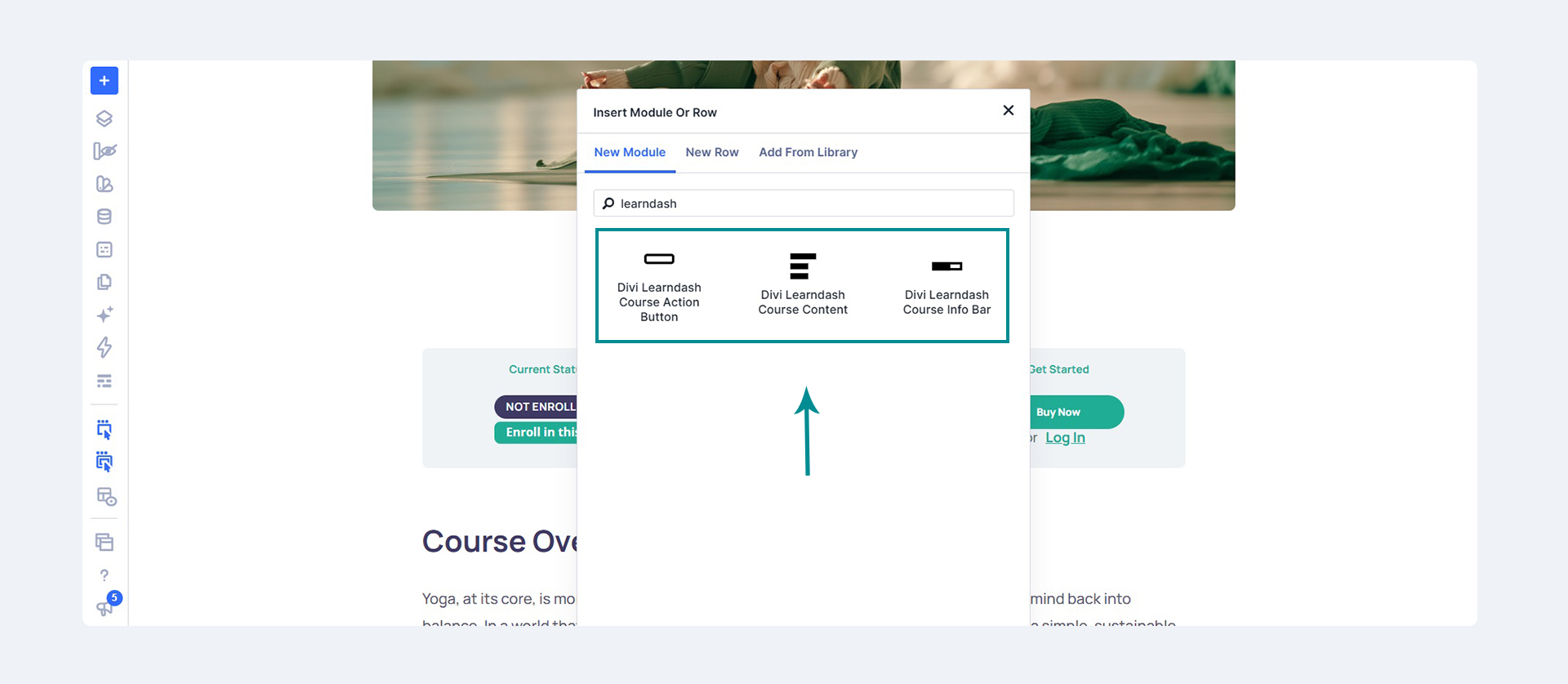
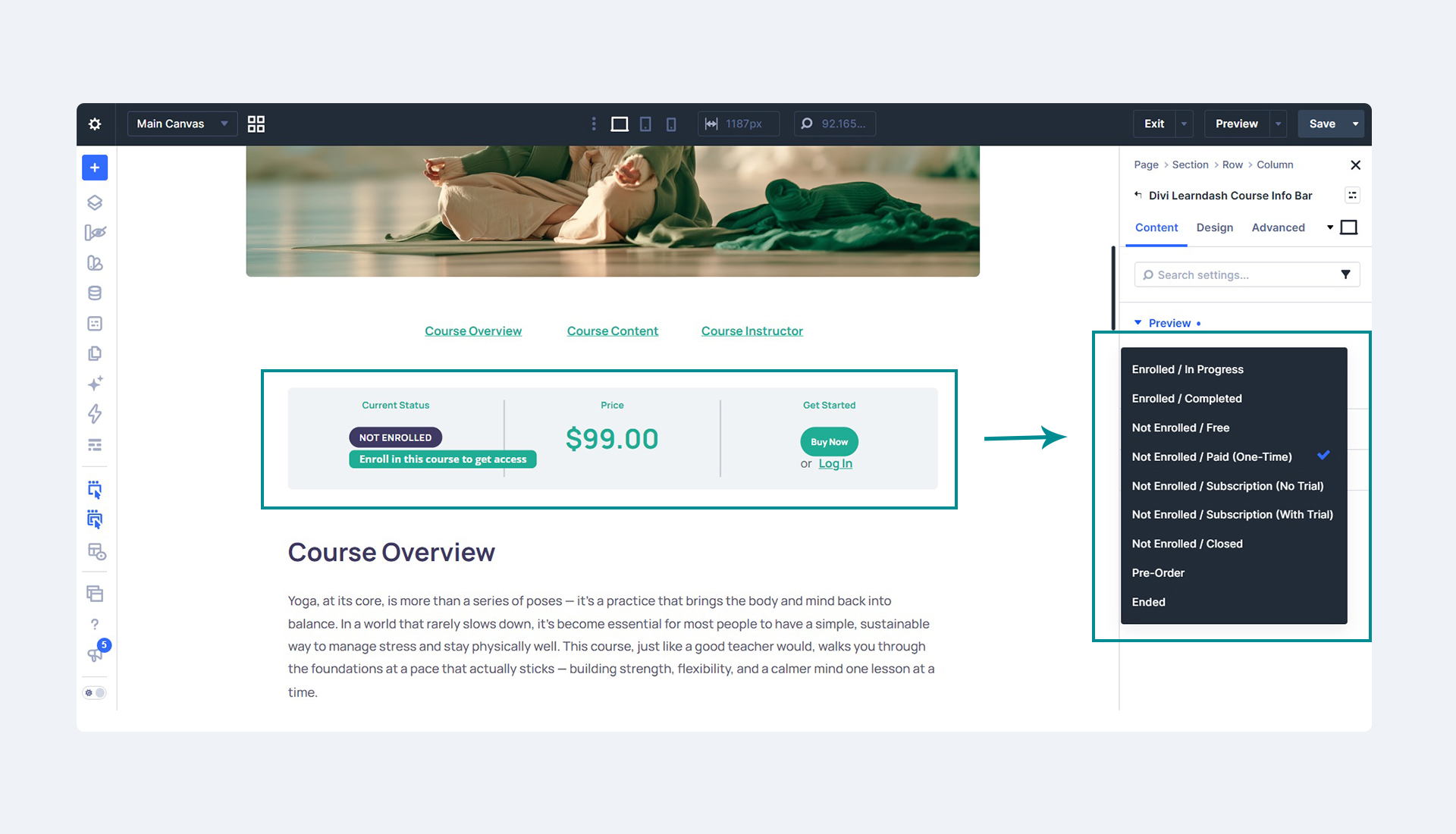
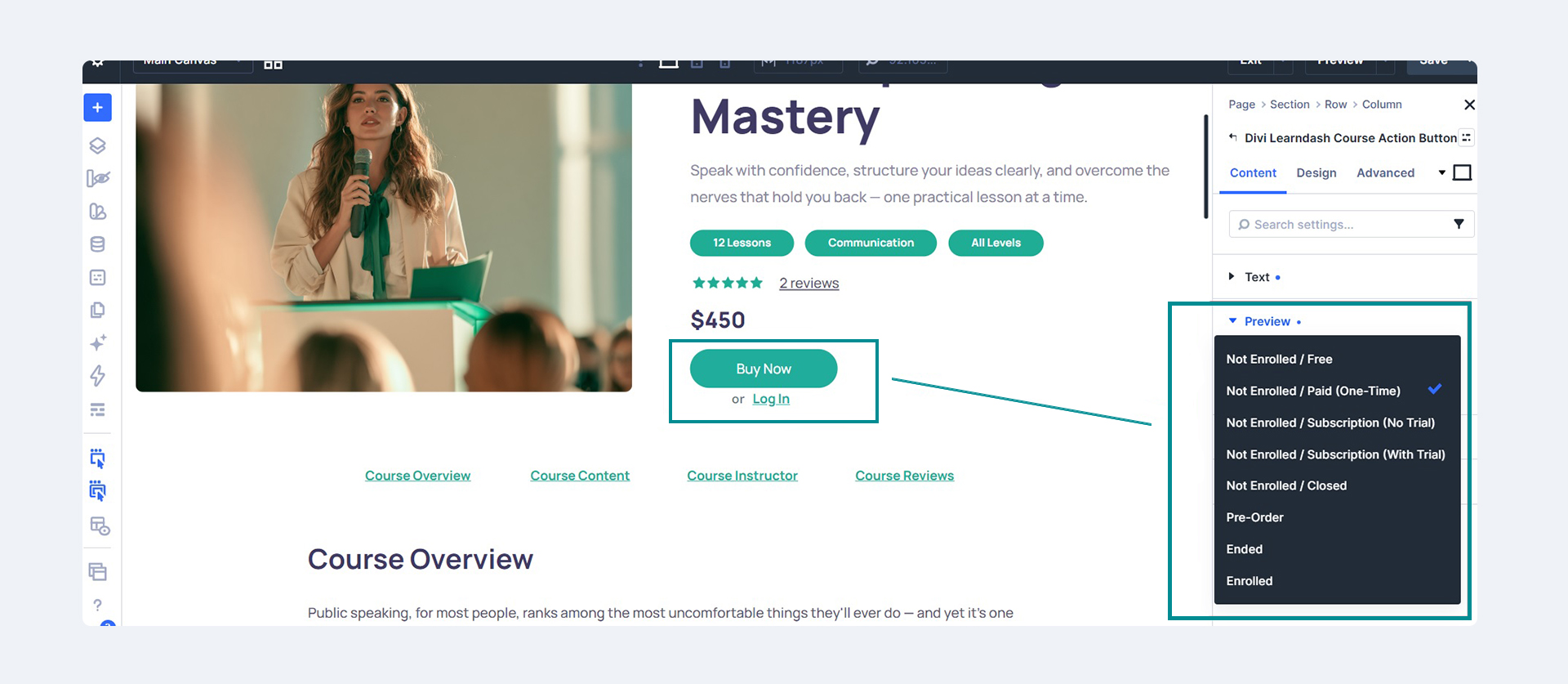
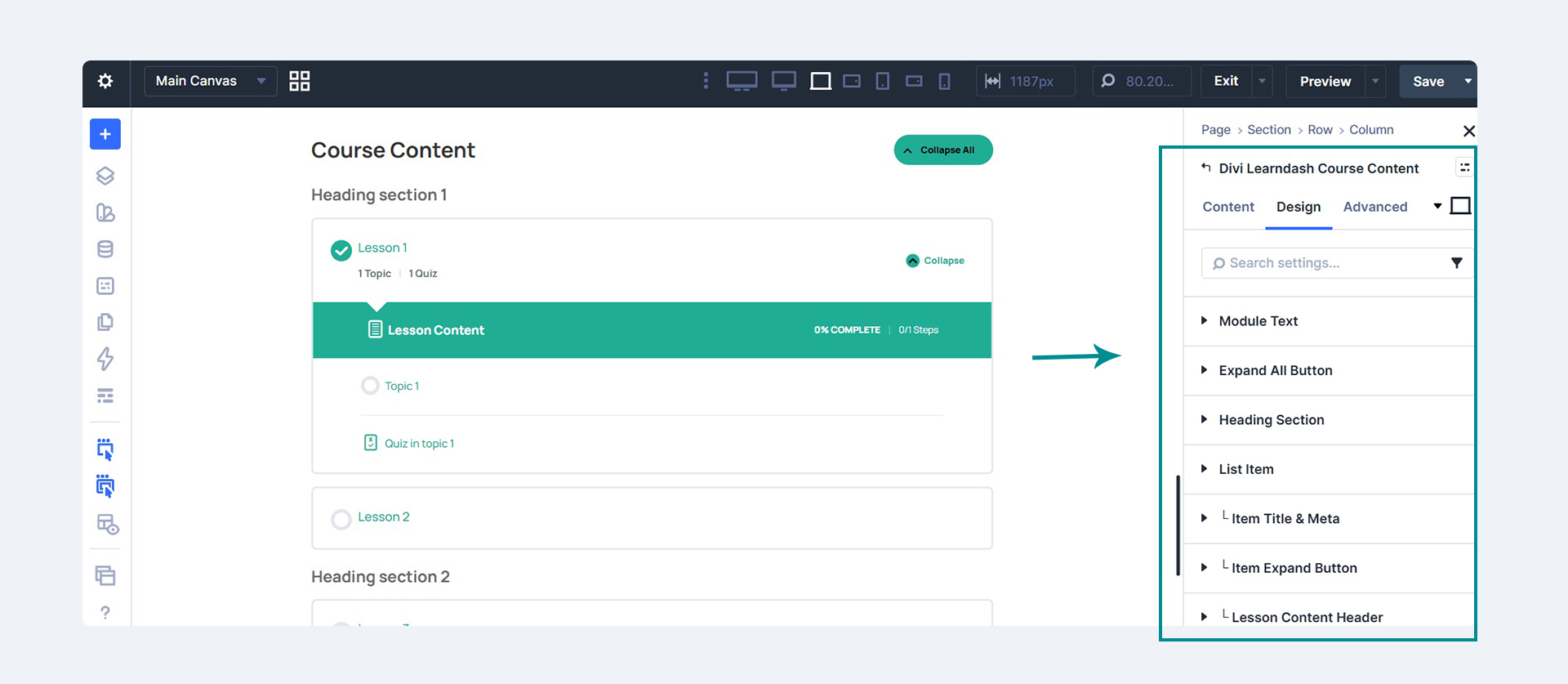
On Divi 5, three native modules — Course Info Bar, Course Action Button, and Course Content — drop straight into the Visual Builder, wherever you want them.
Use Shortcodes on Divi 4
On Divi 4, included shortcodes let you place each LearnDash element anywhere in your custom Divi layout.
Style It to Match Your Site
Arrange the course information, enrollment button and curriculum however you like, and design the whole page to fit your brand — visually, in Divi.
Works With or Without Our Theme
The plugin works on its own with any Divi setup and LearnDash — you don’t need our eLearn theme to use it.
Why Use Course Page Builder

Built specifically for Divi and LearnDash
Seamless integration with your design workflow — modules on Divi 5, shortcodes on Divi 4.

100% free and easy to use
With frequent updates and caring support, like all our products.

Full control of your course page

Great and powerful starting point
With a clear path to a complete course site when you need more.
Bonus:
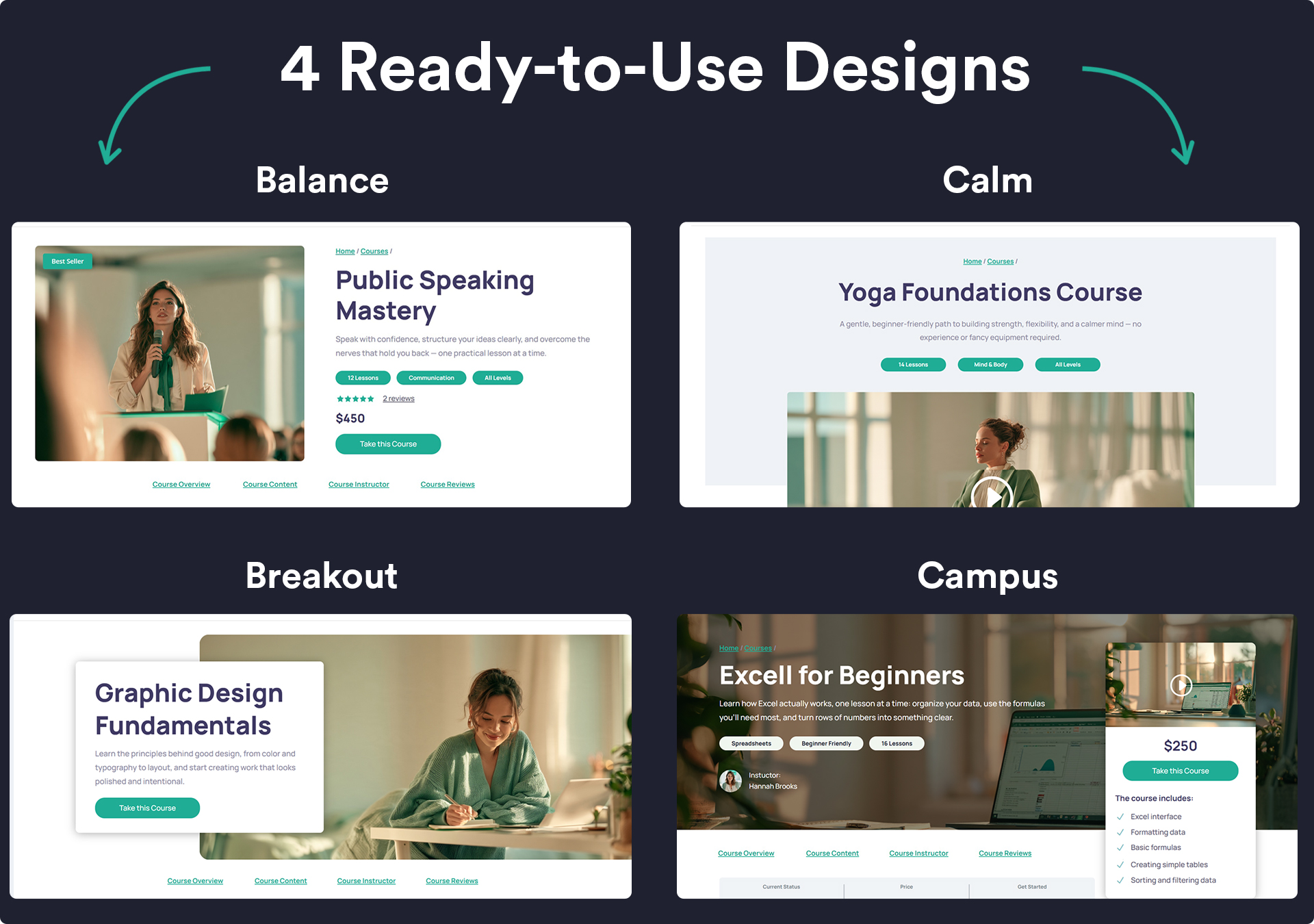
Free Divi Course Page Layout Pack
Get four professional course page layouts you can import in one click — for both Divi 4 and Divi 5. Perfect to instantly see what the plugin can do with real designs.
Want a Complete LearnDash Website? Meet Divi eLearn
With Divi eLearn for LearnDash you get:

Ready-made homepages with hero sections, a course grid, and opt-in areas
Designed course pages that bring together info, enrollment, and curriculum
A course grid you control, reused across your home page and archives
Matching about, contact, blog and archive pages
A complete WooCommerce experience — cart, checkout, mini cart, and student account dashboard
The whole site imported in one click, then shaped in Divi
Course Page Builder vs Divi eLearn
Course Page Builder
Control of the course page layout
Divi 5 course modules + Divi 4 shortcodes
Free course page layout pack
Designed homepages & course grid
Styled cart, checkout & mini cart
Designed student account dashboard
Matching about, contact, blog pages
One-click full-site demo import
Whole-stack setup support
Divi eLearn (theme)
Control of the course page layout
Divi 5 course modules + Divi 4 shortcodes
Free course page layout pack
Designed homepages & course grid
Styled cart, checkout & mini cart
Designed student account dashboard
Matching about, contact, blog pages
One-click full-site demo import
Whole-stack setup support
Get Started Now
Want free?
Want the whole site?
Building a larger course platform?
Frequently Asked Questions
Can I use the plugin on multiple sites/projects?
Yes, you can use the plugin on as many sites as you want.
Do I need LearnDash and Divi to use this plugin?
Yes. The plugin works together with the Divi Theme (or Divi Builder) and LearnDash LMS must be active on your website.
Does it work with Divi 4 and Divi 5?
Can I import ready-made layouts?
You can also build your own course pages from scratch in Divi.
How do I get the default LearnDash layout back?
Do I need your eLearn theme to use this plugin?
No. This free plugin works on its own with any Divi setup and LearnDash. Divi eLearn for LearnDash is a separate, complete child theme for those who want a fully designed course site out of the box.