


In This Article
1. Overview
2. Why this page deserves your attention
3. The problem: account pages resist customisation
4. The fix: Divi My Account Page Lite (free)
5. Bonus: Free Divi My Account Layout Pack (4 Ready-Made Designs)
6. Step by step: customising your account page
6.1. Step 1 — Install the free plugin
6.2. Step 2 — Import a ready-made layout (recommended)
6.3. Step 3 — Rename your account tabs
6.4. Step 4 — Reorder the menu items
6.5. Step 5 — Add icons to the tabs
6.6. Step 6 — Style it visually with Divi
7. When you need more: the Pro version
8. Pulling it together
So it’s worth more than a default template.
This guide walks you through customising it with Divi — no code, using a free plugin and a set of ready-made layouts you can import in minutes.

Why this page deserves your attention
Not browsers. Not first-time visitors. It’s the people who’ve already bought from you — logging in to reorder, to find a download, to check where their parcel is. Your returning customers, the ones who cost you nothing to acquire and are most likely to buy again.
And what they get is a grey menu and a table.
A properly designed account page does a few quiet things for you. It keeps your branding consistent all the way through the experience, rather than dropping it the moment someone logs in. It makes the store feel professional and considered, which builds trust. And practically, it makes the area easier to navigate, so customers find what they need without emailing you about it.
With Divi, you’d expect to be able to style all this visually, like everything else on your site. Here’s why that’s harder than it should be.
The problem: account pages resist customisation
The catch is that these aren’t normal pages. WooCommerce generates them dynamically, which means customising them usually involves PHP template overrides, custom CSS, shortcodes, or hooks and filters.
None of which is what you signed up for when you chose a visual builder.
The fix: Divi My Account Page Lite (free)
- Renaming for account tabs
- Reordering of endpoints
- Icons for menu items
- A dedicated Divi module for styling the account page visually

Want a designed starting point?
We've put together a free pack of four ready-made Divi layouts for the WooCommerce My Account page. Import one, adjust the colours and fonts to match your store, and you've got a properly designed account area in a few minutes instead of an afternoon.

Tell us where to send them:
🎉 Thank You — Your Download Is Ready!
Your Free Divi My Account Layout Pack is ready to download.
We’ve also sent the download link to your email, so you can access it anytime.
What to do next
These layouts work together with our free Divi My Account Page Lite plugin — if you haven’t installed it yet, you can get it from the WordPress repository.
New to importing Divi layouts? This guide walks you through the whole thing in a few minutes: How to Import the Free Divi My Account Layout Pack.
Step by step: customising your account page
Step 1 — Install the free plugin
Once it’s active, you’ll see a new menu item in your WordPress dashboard.
Step 2 — Import a ready-made layout (recommended)
In WordPress, go to Divi → Divi Library, import the layout file, and apply it to your WooCommerce My Account page.
That gives you a designed starting point rather than an empty template — and you can adjust everything from there.

Step 3 — Rename your account tabs
- Dashboard → My Overview
- Orders → Purchase History
- Downloads → My Files

Step 4 — Reorder the menu items
Lite lets you drag the endpoints into whatever order makes sense for your store. A sensible default is Dashboard, Orders, Downloads, Addresses, Account Details — but the right order is whatever matches how your customers actually use the page.

Step 5 — Add icons to the tabs
You can add them directly in the menu settings.
Step 6 — Style it visually with Divi
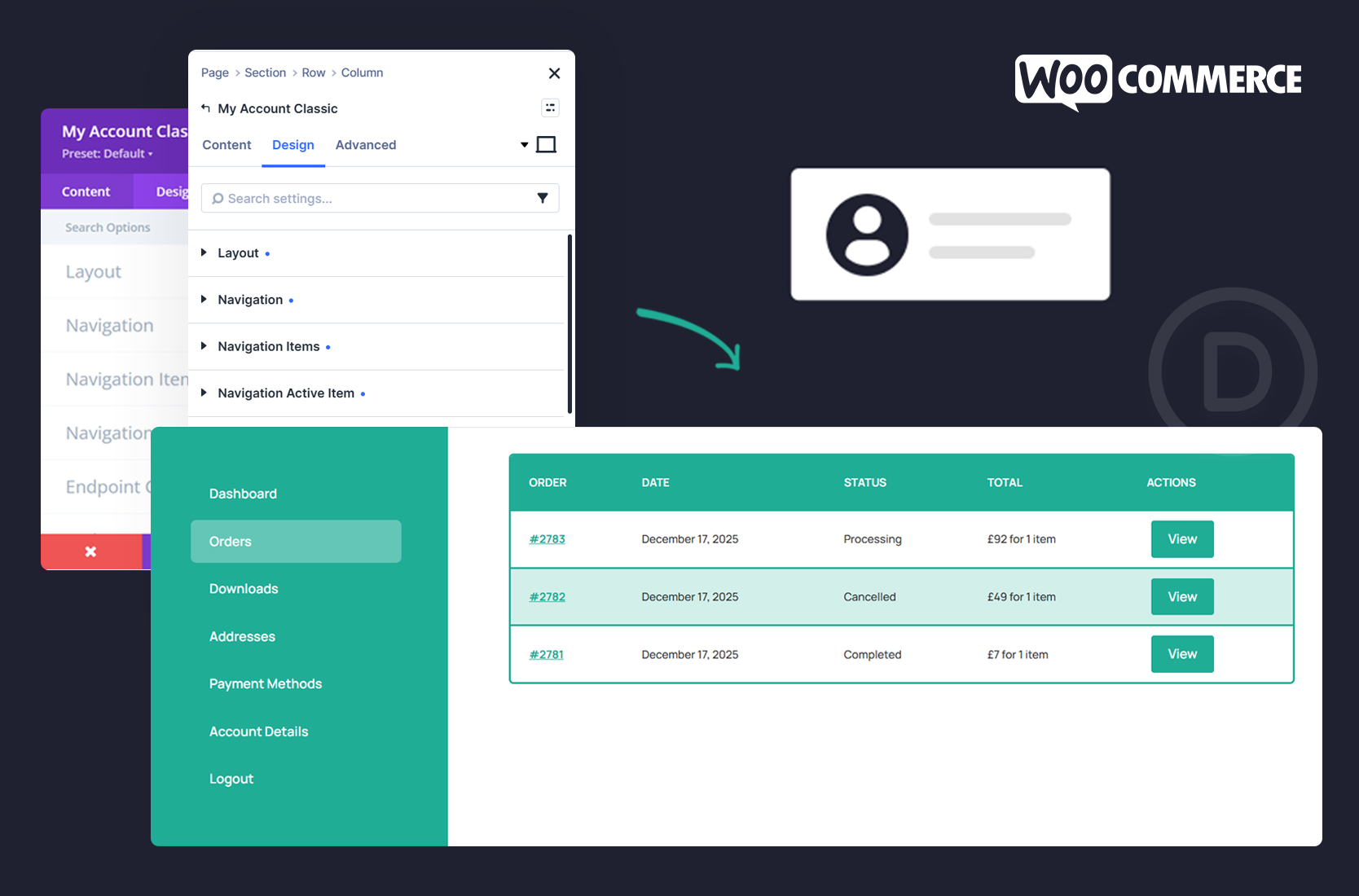
The plugin includes the My Account Classic module, which lets you style the account page inside the Divi Builder — the navigation, tables and order lists, form fields, notices and messages, typography, spacing.
Everything stays in the Builder. No template overrides, no hunting through CSS.


When you need more: the Pro version
But there’s a point where people want to go further — and that’s what Divi My Account Page Pro is for:
- Creating your own custom account tabs
- Showing or hiding tabs by user role
- Replacing WooCommerce’s default content with full Divi layouts
- Combining several sections into one custom dashboard
- Full control over the whole account experience
If your account page is part of a membership site, a course platform, or a client portal, that’s usually where Pro starts to earn its place.

Pulling it together
With the free plugin and the free layout pack, you can turn it into a properly branded customer area — easier to navigate, consistent with the rest of your site, and styled entirely inside Divi.
And it’s a one-time job that quietly improves the experience for every returning customer from then on.
